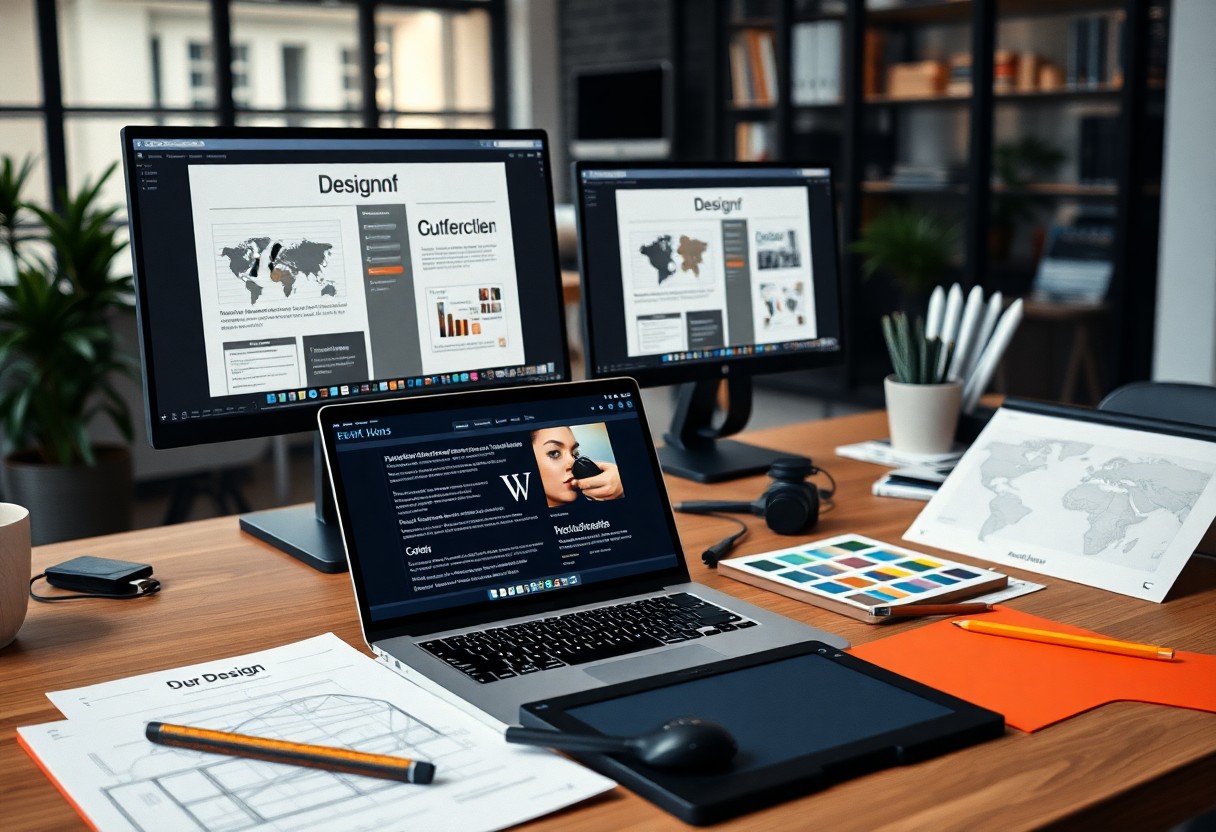
Over my years of experience as a web designer, I’ve come to realize that working in both English and German requires specific tools that cater to that bilingual need. In this post, I will share with you the imperative resources and software that have made my design process smoother and more efficient. Whether you’re aiming to bridge language barriers or enhance your design workflow, these tools will empower you to create stunning websites that resonate with both English and German audiences.
Understanding the Dual Language Landscape
Your approach to web design can significantly impact your engagement with diverse audiences. As a web designer working in both English and German, it’s vital to recognize that each language not only carries its unique nuances but also reflects distinct cultural contexts. By understanding these differences, you can create a more inclusive, user-friendly experience that resonates with both groups.
The Importance of Bilingual Design
On many occasions, I have found that implementing bilingual design is not just about translating content; it’s about creating a cohesive experience for users. By catering to both English and German speakers effectively, you can enhance accessibility and inclusivity in your design, making your website more appealing to a broader audience.
Challenges of Designing for English and German Audiences
An important challenge I often face is the difference in sentence structure and word length between English and German. This can affect the overall layout, leading to misalignments or overflowing text. Furthermore, cultural references and design preferences may vary, making it vital to be vigilant about how I connect with each audience.
Consequently, designing for both language groups requires careful attention to detail. I have discovered that what works well in one language may not translate effectively into the other. For instance, German tends to be more formal than English, which could influence the tone and choice of visuals. Understanding these distinctions can help prevent miscommunication and foster a better user experience across both languages.
Key Considerations in Language Localization
At the heart of successful bilingual design lies language localization. It’s not merely about translating text; I must consider local customs, idioms, and user expectations. When I localize content accurately, I provide a more engaging experience for the user, which can lead to higher conversion rates and user satisfaction.
Indeed, I have found that effective localization goes beyond just text translation. It requires a deep understanding of the audience’s context. For example, images, colors, and even functions may have different meanings in different cultures, so I make it a priority to research and adapt every element to ensure it resonates with local users. This attention to detail helps build trust and enhances overall effectiveness in my designs.
Essential Design Tools
While working on web design projects in both English and German, having the right tools is key to enhancing your productivity and creativity. I’ve curated a list of crucial design tools that can streamline your workflow, improve collaboration, and ultimately help you deliver outstanding results for your clients.
Graphic Design Software
About graphic design software, I rely on platforms like Adobe Creative Suite, Affinity Designer, and CorelDRAW to bring my creative visions to life. These tools allow you to create stunning visuals, illustrations, and layouts tailored to diverse audiences in both languages.
Prototyping and Wireframing Tools
By employing prototyping and wireframing tools, you can effectively visualize your design concepts before exploring into the actual development. Tools like Figma, Sketch, and Adobe XD facilitate the creation of interactive prototypes that can be easily shared with clients for feedback and approval.
In fact, these tools support your workflow by allowing you to quickly iterate on designs, making necessary adjustments based on client preferences or testing outcomes. This flexibility is invaluable in maintaining efficiency without compromising quality across project phases.
User Interface Design Tools
Besides prototyping, user interface design tools are vital for ensuring that your designs are not only visually appealing but also user-friendly. I often use applications such as InVision, Framer, and Axure to craft intuitive interfaces that resonate well with both English and German-speaking users.
Tools like these provide a platform to collaborate with developers and other stakeholders, allowing seamless handoffs of designs along with comprehensive specifications. Working in dual languages can present its challenges, but using user interface design tools helps bridge the gap by enabling clear communication of your design intentions.
Collaboration and Communication Tools
For web designers working in both English and German, effective collaboration and communication tools are important to streamline workflows and improve team interaction. These resources help to bridge the language gap and enable smooth project execution.
Project Management Software
Tools like Trello, Asana, and Monday.com are indispensable for managing tasks and timelines. They allow you to create boards or lists where you can assign tasks, track progress, and set deadlines, keeping your projects organized and on schedule regardless of the language being used.
Communication Platforms
Tools such as Slack, Microsoft Teams, and Zoom facilitate real-time communication and collaboration among team members. You can share ideas, give feedback, and hold meetings in both English and German, ensuring everyone stays in the loop.
For instance, Slack enables you to create channels for specific projects, making it easier to manage discussions in both languages. You can utilize bots to automate updates or reminders, which streamlines communication further. Additionally, video conferencing on tools like Zoom allows for visual collaboration, where you can share your screens and discuss design elements in context, reducing miscommunication across linguistic barriers.
Font and Typography Resources
Unlike other elements in web design, typography plays a unique role in conveying language-specific nuances. When working with both English and German, it’s vital to understand how these languages utilize typography differently to ensure your design communicates effectively.
Understanding German Typography
To embrace the German language in web design, it’s necessary to acknowledge its specific typographic traditions. German typography often emphasizes clarity and readability, with a preference for fonts that feature distinctive diacritical marks. Choosing the right typeface can enhance user experience and ensure your content is approachable for German-speaking audiences.
Recommended Fonts for Bilingual Designs
By selecting the right fonts for your bilingual designs, you can create a cohesive and engaging experience for both English and German-speaking users. Opt for typefaces that support both languages and maintain visual harmony across different scripts.
Designs that leverage fonts like Open Sans, Roboto, and Lato ensure that both English and German texts remain legible and visually appealing. These options not only support the necessary special characters but also uphold a clean aesthetic that is necessary for effective web design.
Tools for Font Pairing
One excellent way to enhance your typography is through the use of font pairing tools. These resources help you find compatible typefaces that work well together, ensuring that your design remains consistent when switching between languages.
Plus, by utilizing tools like Google Fonts or Adobe Fonts, you can easily explore and test various font combinations tailored for bilingual contexts. These platforms allow you to visualize how different typefaces interact, enabling you to make informed choices that elevate your design projects.
Language Translation and Localization Tools
Many web designers find themselves bridging the gap between English and German content. To streamline this process, effective language translation and localization tools are vital, ensuring that your design resonates with diverse audiences while maintaining clarity and cultural relevance.
Translation Management Systems
Management of multilingual projects can become overwhelming without the right tools. I often turn to Translation Management Systems (TMS) that provide a structured approach to handling projects. These systems facilitate collaboration, ensuring that all team members are aligned on language use, terminology, and project timelines, enabling a smooth workflow throughout the localization process.
Automated Translation Tools
By leveraging automated translation tools, I can quickly generate translations for content that requires a faster turnaround. These tools use machine learning algorithms to provide instant translations, significantly reducing the time spent on manual translation.
The effectiveness of automated translation tools cannot be overstated. While they offer speed and efficiency, it’s important to remember that these tools may not perfectly capture nuances and cultural subtleties. To ensure accuracy, I always recommend revising machine-generated translations, particularly for crucial or complex content. Integrating automated tools can be a game-changer, allowing you to focus your energy on the design and user experience while ensuring that your text is accessible to German-speaking audiences.
Tools for Testing and Optimization
Not every web designer prioritizes testing and optimization, but I believe these elements are critical to delivering an exceptional user experience across both English and German speakers. By utilizing the right tools, you can identify areas for improvement and ensure your designs resonate with a diverse audience.
User Testing Platforms
Beside analytics, user testing platforms are indispensable for gathering direct feedback from real users. These tools allow you to observe how test participants interact with your website, helping you identify usability issues specific to language nuances. I find that platforms like UserTesting or Lookback provide valuable insights into user behavior, especially when catering to bilingual audiences.
Analytics Tools
Across all design projects, leveraging analytics tools is fundamental to understanding user behavior and engagement. Tools such as Google Analytics or Matomo can track user activity and provide insights that help inform design adjustments tailored to your English and German-speaking audience.
Considering the distinct preferences and behaviors of your target users, I strongly encourage you to dive deeper into your analytics. By analyzing metrics such as bounce rates, session duration, and user demographics, you can make data-driven decisions to enhance your site’s performance in both languages. This level of insight enables me to fine-tune my designs, catering to the unique needs of diverse user groups effectively.
Resources for Continuous Learning
Despite the fast-paced nature of web design, it is necessary to stay updated with new trends and tools. Continuous learning helps you refine your skills and adapt to changes, especially when working in both English and German. Below are some valuable resources to aid your development.
Online Courses and Tutorials
One of the best ways to enhance your skills is through online courses and tutorials. Platforms like Udemy, Coursera, and Skillshare offer a wealth of resources tailored to web design. These courses often feature bilingual content, allowing you to grasp complex concepts in both English and German seamlessly.
Design Community and Forums
Across the web, there are multiple design communities and forums where designers gather to share insights, seek advice, and discuss new ideas. Platforms like Dribbble, Behance, and dedicated subreddits can connect you with fellow designers from diverse backgrounds.
Hence, engaging in these forums can provide you with support and inspiration, helping you to continuously enhance your craft. I often find that participating in discussions and sharing my work not only boosts my confidence but also exposes me to valuable critiques and innovative perspectives. Whether you’re solving a specific design challenge or looking for general advice, these communities can be a goldmine of information and support.
To wrap up
With this in mind, I encourage you to explore the necessary tools that cater to both English and German-speaking web designers. Utilizing the right software and resources can greatly enhance your workflow and ensure that your designs resonate with diverse audiences. Investing time in mastering these tools not only elevates your skills but also enriches your projects, allowing you to deliver polished results. As you launch on this journey, I am confident that these tools will become invaluable assets in your design toolkit.
FAQ
Q: What are the key tools web designers should use for bilingual websites in English and German?
A: When designing bilingual websites, key tools include translation management software like Memsource or Smartling, design tools such as Adobe XD or Figma which support collaboration, responsive design tools like Bootstrap, and code editors like VS Code that facilitate multilingual coding practices. Additionally, SEO tools like SEMrush can help optimize both language versions for search engines.
Q: How can I ensure that my web design is accessible in both English and German?
A: To ensure accessibility, it’s vital to use semantic HTML elements, provide alt text for images, and ensure that color contrasts are adequate for readability in both languages. Implementing ARIA landmarks can improve navigation for users with assistive technologies. Additionally, testing with real users from both language backgrounds can provide valuable feedback for better accessibility.
Q: What are best practices for maintaining body text consistency between English and German?
A: When maintaining body text consistency, it’s advisable to establish a style guide that outlines font sizes, line heights, and spacing for both languages. Also, ensure that translations are not only accurate but contextually appropriate. Using CSS for styling consistently across both versions can help achieve a uniform appearance while accommodating differences in text length between English and German.
Q: How can I streamline the translation process for my web design projects?
A: Streamlining the translation process can be achieved by using translation management systems to keep translations organized and synchronized with updates. Employing translation memory tools will help re-use previously translated phrases, saving time and maintaining consistency. Collaborating with professional translators who are familiar with web content is also recommended to ensure quality translations.
Q: What should I do to test my web design for both English and German speakers?
A: To test your web design for both language speakers, conduct usability testing with native speakers from both sides. Focus on user experience by analyzing interaction patterns, navigation ease, and content comprehension. Employ tools like BrowserStack for cross-browser testing, and review analytics to see how users from different language backgrounds engage with your site. This feedback will guide necessary adjustments for a better overall experience.